Sh ip int bri and do show ip interface brief
Sh ip int bri and do show ip interface brief usage and details
Sh ip int bri is the short form of the show ip interface brief command that can be used on Cisco devices.
We can see details like which IP address has been assigned to the interface and if the interface is down, administratively down, or line protocol is down.
Administratively down means that we have not manually enabled the interface and line protocol down means that either something is wrong with the cable or there is a mismatch of protocol used on the connected interfaces.
Cisco IOS accepts the shorter form of the commands however we should at least enter enough characters so that IOS can determine what we are trying to type e.g. ‘Sh ip int bri’ has enough characters in each word that enables IOS to recognize the actual command.
If we use ‘s ip int bri’ then this will not work as there are more possibilities with the letter s however ‘sh’ confirms that we want to type show.
The following image shows the above-discussed scenario.
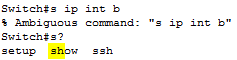
We can confirm that using the question mark after the letter to find out the number of commands.
Do show ip interface brief
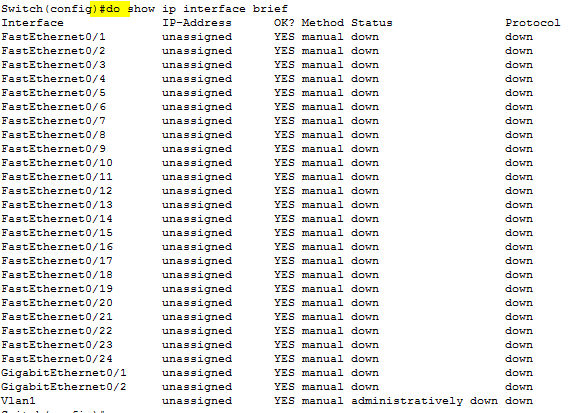
The ‘Do show ip interface brief’ command does the same thing as show ip interface brief however using do enables us to use this command from the global configuration mode.
This command is used very often so it is not easy to move back to privileged mode every time we need to check the interface configuration Cisco has provided this feature where we can use ‘do’ at the beginning of the command to check the configuration even in the global configuration mode.
The following image shows the use of the ‘do show ip interface brief’ command.