EIGRP neighbor and debug EIGRP
EIGRP neighbor and debug EIGRP neighbor relationship issues with the use of debug commands
EIGRP protocol forms the neighbor relationship with the directly connected router before sharing the routing table with the other router however to form the neighbor relationship, some values should matched otherwise neighbor relationship will not work and routers will not share the routing table.
To form a successful neighbor relationship, some of the values between two neighbor routers should match.
Subnet – Both routers should be on the same subnet to form a successful neighbor relationship
K-Values – K values should also match.
AS number – AS number should match between routers.
There are some configurations as well that can interrupt the proper neighbor relationship.
We can check the neighbor table by using the following command.
R1#show ip eigrp neighbors
We can see in the image below that neighbor information is available with this command.

'Show IP neighbor details' show extra information about the neighbor like the version of the IOS etc.
Following is the output of the command ‘show ip neighbor details’

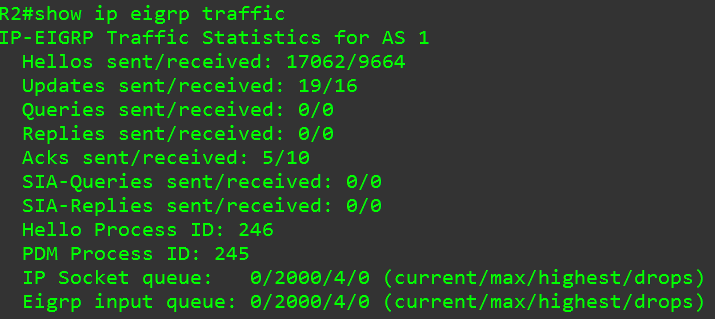
Below is the output of the 'show ip eigrp traffic command, we can see the numbers of hello packets sent and received.
Debug eigrp packets command
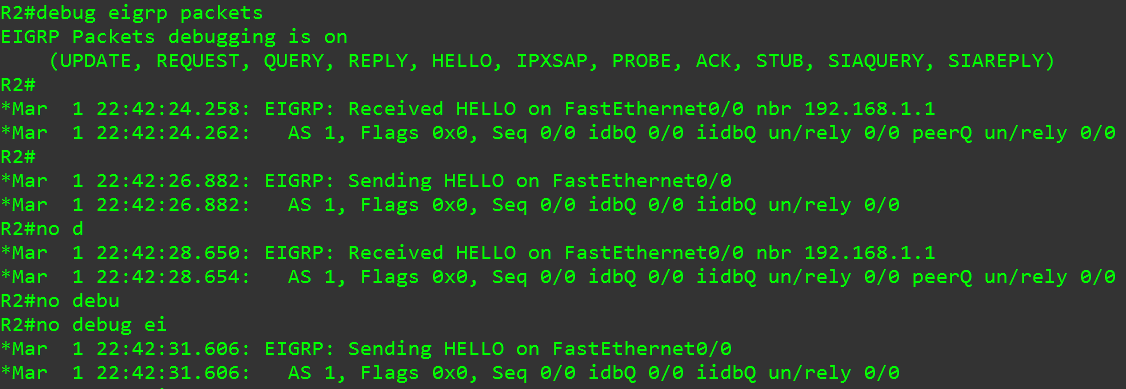
Debug eigrp packets allow us to troubleshoot the issues with the neighbor relationship, we can use this command to see how the hello packets are sent and received.
The following image shows the output of the ‘debug eigrp packets’ command.
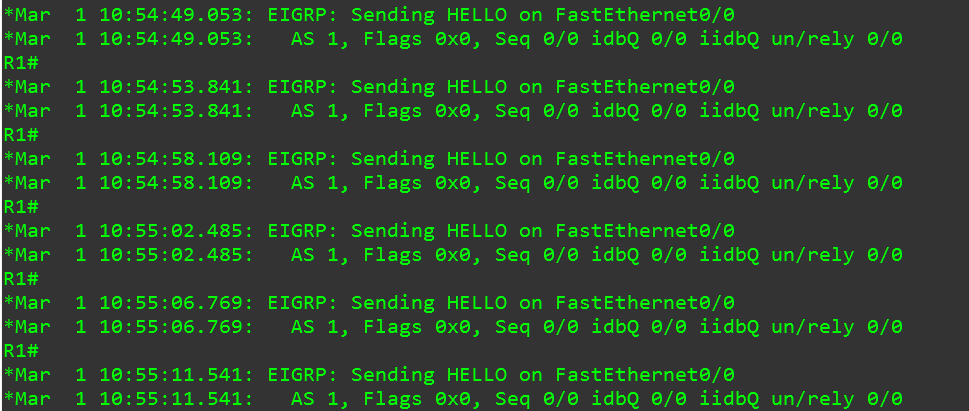
As the other router is down, we can see in the following image that the neighbor router is not sending any hello packets however working router is sending the hello packets regularly.
While using the ‘debug eigrp packets’ command we were able to see the information about the packets however ‘debug eigrp neghbors’ command output shows what exactly happened to the neighbor router.
Below is the output of the command when we shut down the interface on the other router, this command has clearly stated that the hold time timer has expired and a peer is going down.
